A calculator in the amount
Type 250+50 or 1200÷3 right in the amount field. Operator priority is respected.
A currency converter with no ads. Every feature of the app in one place, with real screens and live widgets. What is free, and what comes with Exchy Pro.
 Download on theApp StoreComing soon
PRO marks what Exchy Pro adds. Everything else is free.
Every currency in your list is an input. Change one number and all the others recalculate at once, with a calculator right inside the amount.
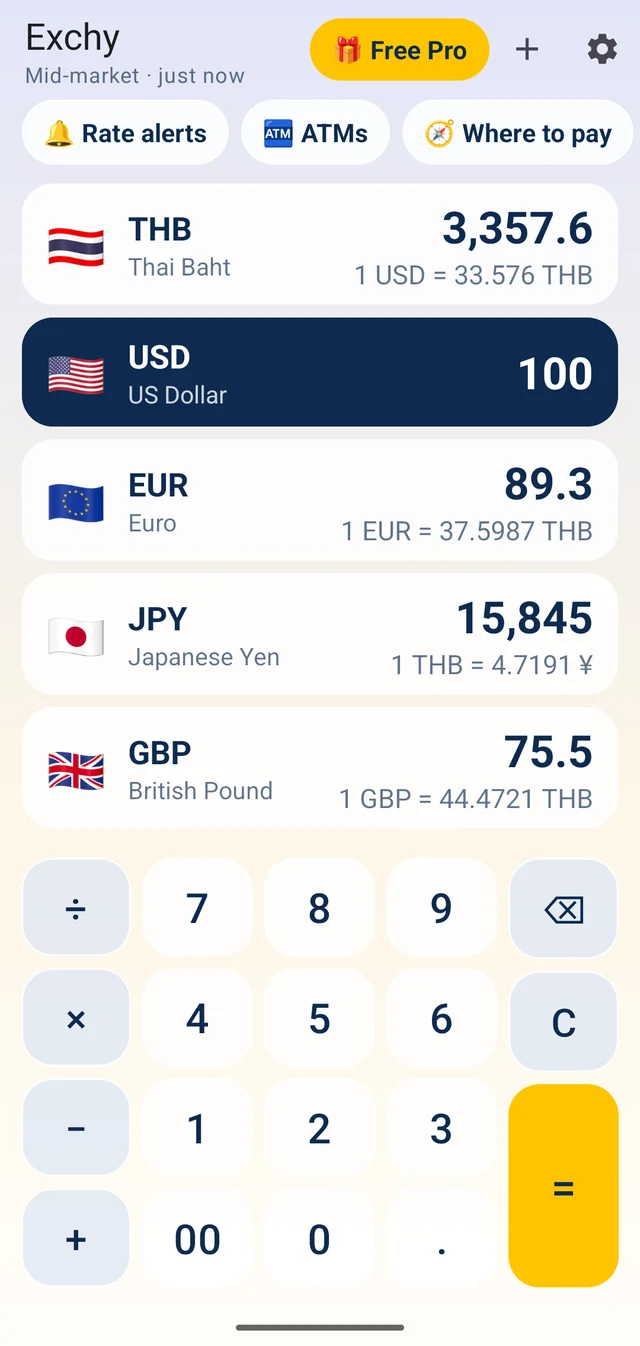
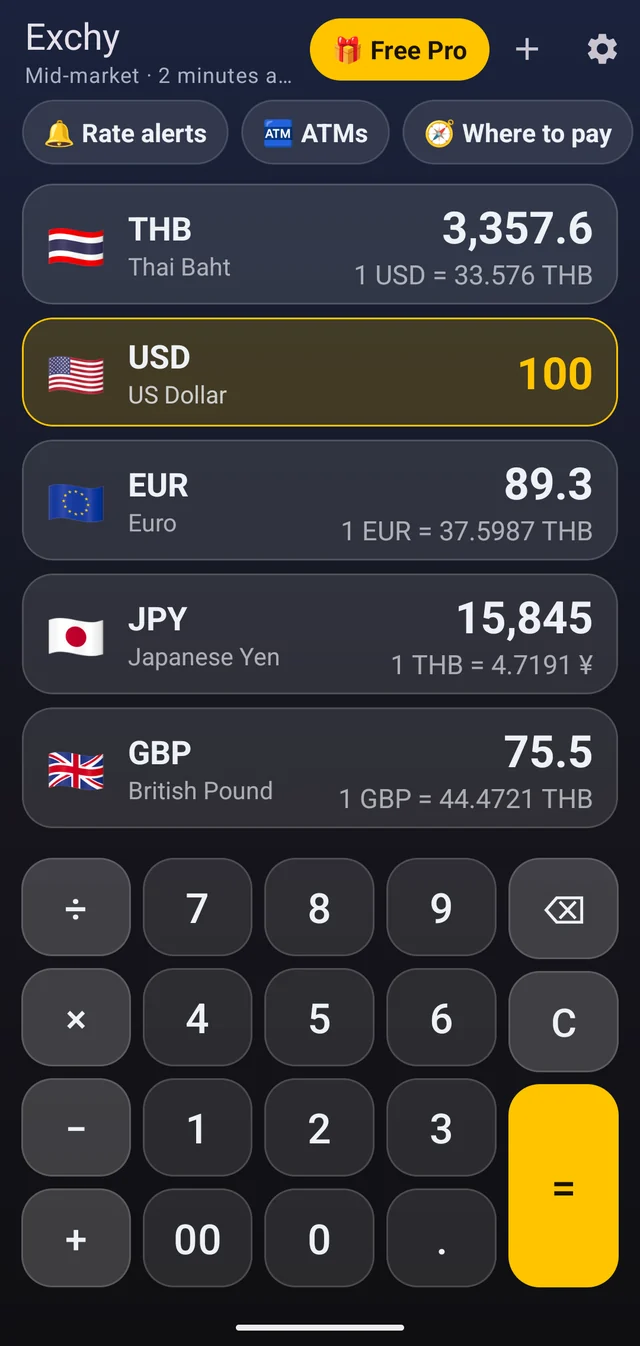
The real app, light and dark
Type 250+50 or 1200÷3 right in the amount field. Operator priority is respected.
Taken from your phone's region, with the neighbouring currencies already in the starter list.
The last rates are saved on the phone and the header says how old they are. After 3 days the line turns red.
30 countries have their own rate sources, not only the official one. Pick your country in the Rate source window.
Your home currency comes from the SIM. When the network is in another country, Exchy offers its currency: a Ukrainian SIM in Thailand suggests THB.
Add your bank's markup (1%, 1.75%, 2%, 2.5%, 3% or your own) and see what a purchase really costs. The header shows “card +2.5%”.
Long-press and drag to reorder. Swipe a row away and a Remove window lets you cancel. The plus button searches by code, name or country: “japan” finds JPY.
Tap the highlighted amount to copy it as a number. Long-press to paste from the clipboard: $1,299.99, 1.299,99 € and ₹ 4,500 all work.
Send the rows as a picture card plus text to any messenger.
Follows your phone, or pick one inside the app. The widgets follow it too.
English plus 70 more, numbers in your local format, right-to-left languages included.
A swipe from the screen edge means “back” in Android. Exchy needs it twice to exit, so a slip does not close the app.
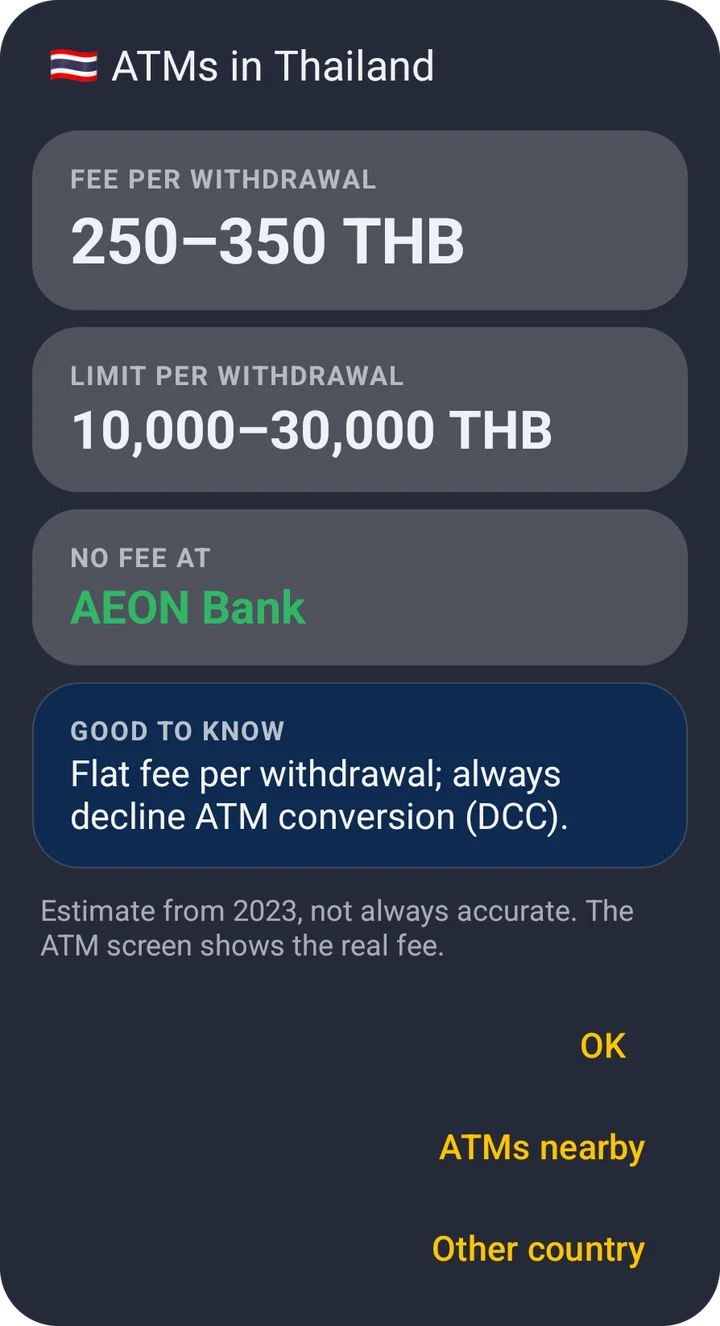
Fees and withdrawal limits for 35 countries, and the banks that charge nothing. Tap ATMs on the main screen.
Fees are estimates with the year shown. The ATM screen has the final fee.
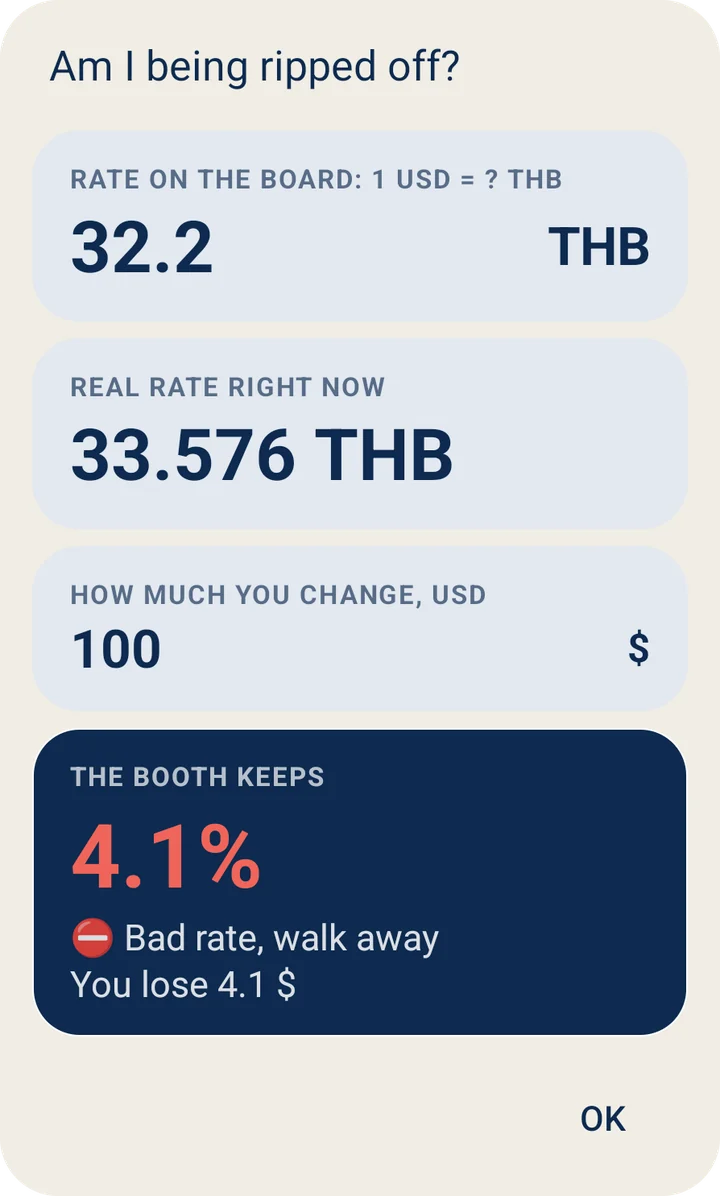
Type the rate from the board. Exchy compares it with the real rate and shows how much the booth keeps, in percent and in your money.
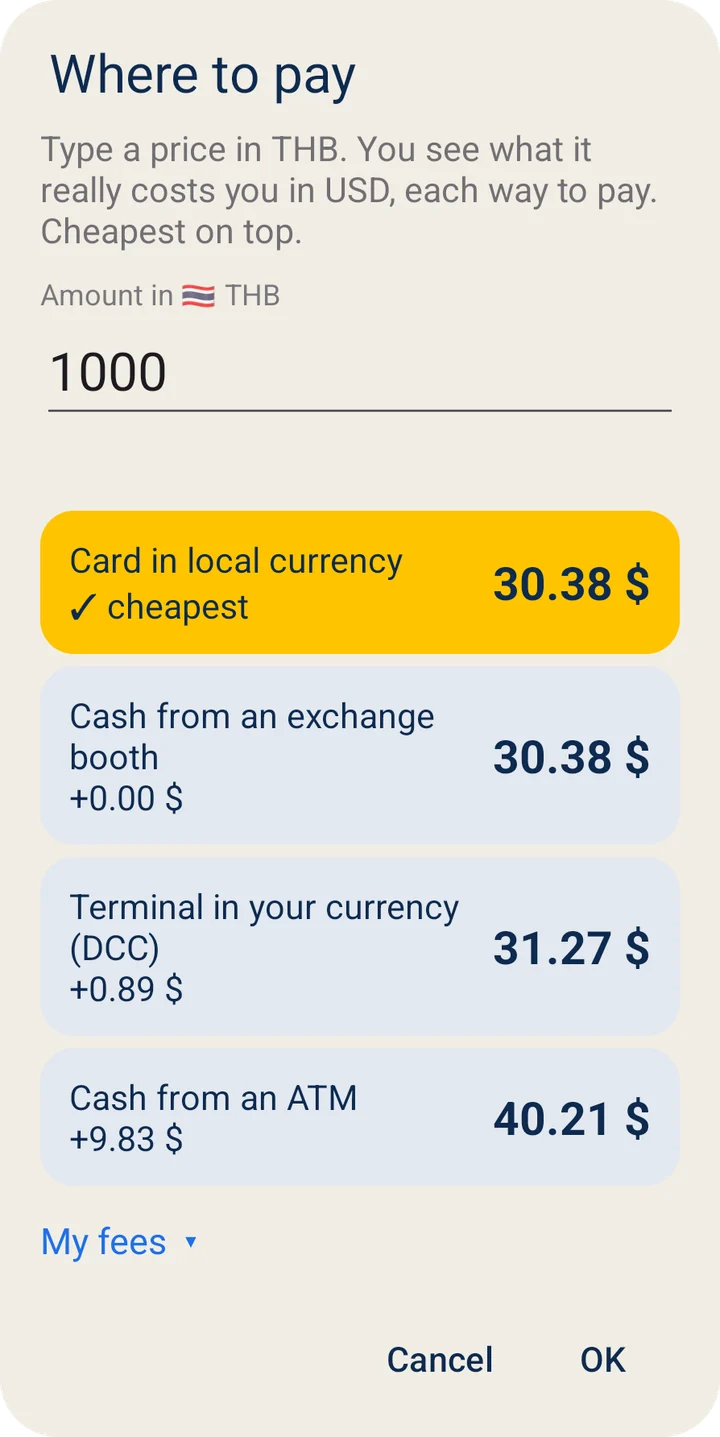
One purchase, four ways to pay, in your own money. The cheapest one is on top. The terminal that offers to charge you in dollars almost never is.
Six widgets, and they work right here: the rates are live and a tap does what it does on the phone. Add one from the widget picker, or from the app's menu.
Live rates·Rates by Exchange Rate API
Up to 5 rates against your base currency, right on the home screen. Nothing to open, nothing to type.
Try it: tap ×1 to go to 10, 100, 1000. Tap a row to make it the base.
Four rates in a square. Tap a tile to make it the base. The chip keeps the amount.
Try it: tap USD×1, then a tile.
One pair, one big number. Tap the number to flip the direction. Tap the top line to go to the next currency.
Try it: tap the number.
Type any amount right on the home screen, no app, no arithmetic. ⇄ flips the pair. Tap a currency to go to the next one from your list.
Try it: type 1250.
Twelve ready amounts from small change to rent, already converted. Nothing to type while you shop. Tap a currency to go to the next one.
Try it: tap a currency, then ⇄.
Up to 5 coins with the live price in your currency and the 24-hour move, green or red. Prices from Binance.
Try it: tap refresh.
No Pro yet? A Pro widget placed by someone without Pro turns into this card, and a tap opens the Pro screen. On the phone, long-press any widget and choose Settings to pick its own currencies. Every widget keeps its own list.
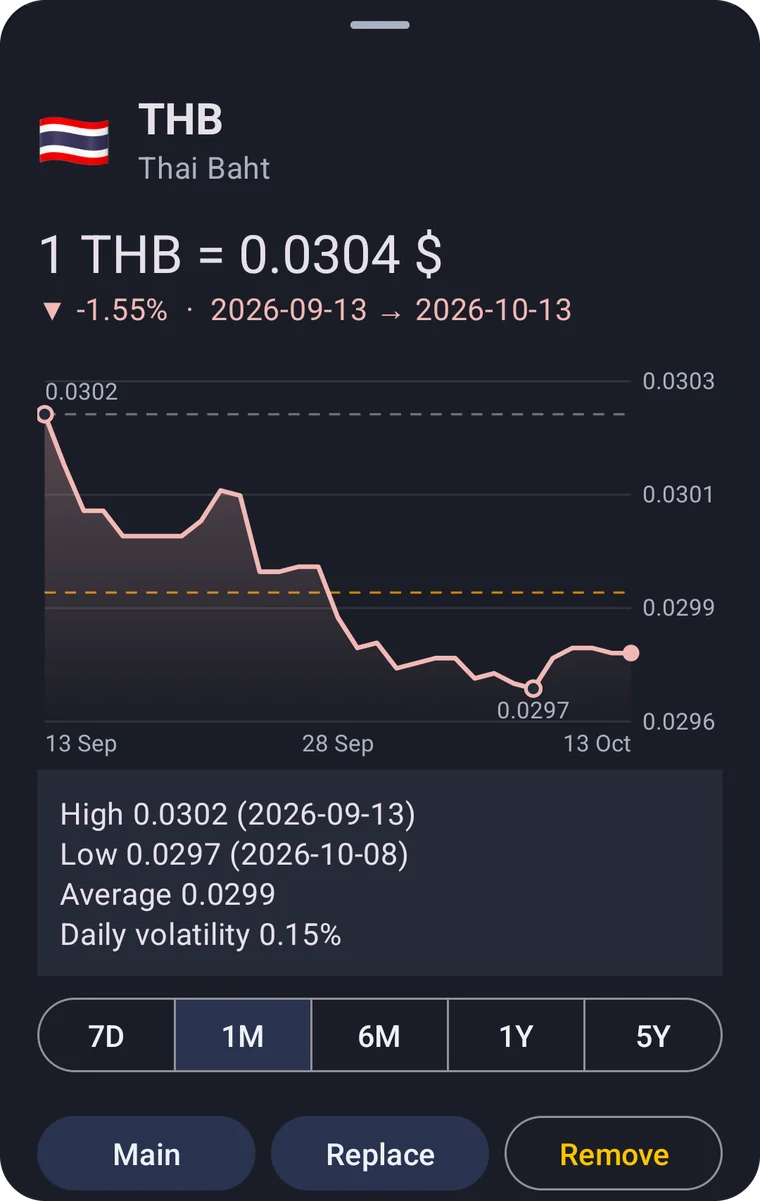
Tap a flag for the chart and drag a finger over it to read any day. 7 days and 1 month are free. Pro adds 6 months, 1 year and 5 years.
“Tell me when the dollar is above 45.” One notification when the rate crosses your number.
PRO7 days and 1 month are free. Pro adds 6 months, 1 year and 5 years, with the highs, the lows and the average.
PROThe official rate for any day, for taxes and invoices.
PROThe top 200 coins with live Binance prices in your currency, plus gold, silver, platinum and palladium. A crypto widget too.
PROBanks and transfer services side by side: the fee, the markup on the rate and what lands on the other side.
PROA permanent notification with your rate, one swipe away.
PROOne quiet notification a day with your rates, at the time you choose.
PROPoint the camera at a price tag and see it in your currency. It runs on the phone, nothing is uploaded.
PROSelect a price in any app and choose Convert with Exchy. A Quick Settings tile opens the same pop-up calculator.
PROSave lists like Main, Thailand or Crypto and switch between them with one tap.
PROFree keeps 4 currencies on the list. Pro has no limit.
PROFree refreshes once a day or when you open the app. Pro every 3 hours, and hourly while an alert is waiting.
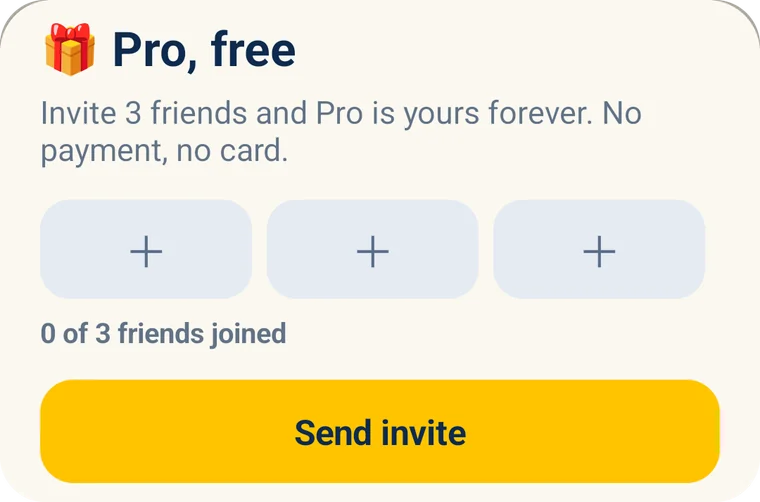
PROEvery new user gets Pro for 3 days, and 3 more days on the first trip abroad. After that, invite 3 friends and Pro is yours forever, or pay once. No subscription, no card to start.
A friend counts after using Exchy for 3 days.
No ads, not now and not later. No accounts. No analytics inside the app. The camera works on your phone and nothing is uploaded.
ads, banners or popups
accounts to create
analytics in the app
Download on theApp StoreComing soon Download on theApp StoreComing soon